
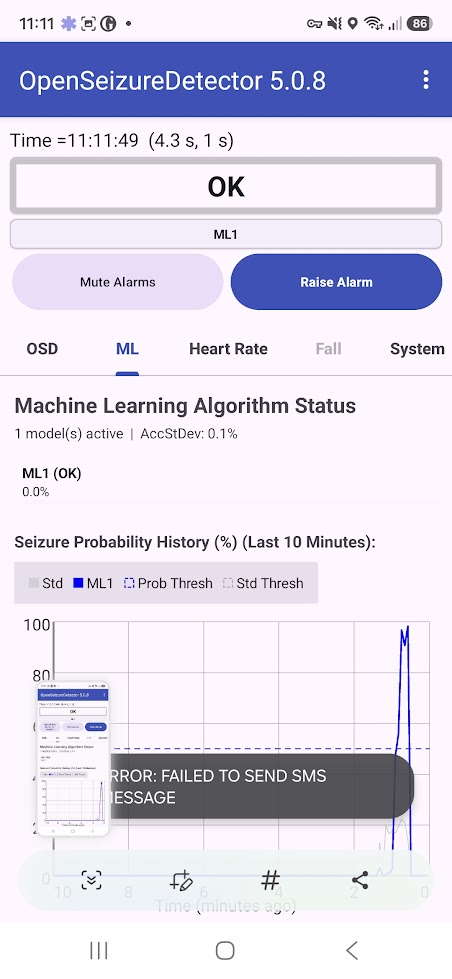
A user has identified a problem with SMS alerts not sending on a Motorola phone – I have tested it and it is also failing on a Samsung A17, so is probably related to permissions on newer versions of Android. I saw the issue when I used the ‘Test SMS Alarm Notification” menu item in the main app screen – you see a popup saying “ERROR – FAILED TO SEND SMS MESSAGE”.
I will aim to do a fix and publish it over the next couple of days.
In the meantime, if you need to use SMS alerts, you can work around the problem by granting ‘Phone’ and ‘SMS’ permissions in the main phone settings screens:
- Go into the main phone settings menu, then select Apps, then OpenSeizureDetector. This will give you the phone level settings for the apps – one of which is Permissions.
- Click on Permissions and it will show you which permissions are allowed and Not allowed.
- Enable Phone and SMS permission from the list.
- Once you have done that, SMS alerts should work again in V5.0.8 so no need to downgrade to get SMS alerts working again.
Graham (graham@openseizuredetector.org.uk)