A couple of people have mentioned that they do not get notifications when I update this web site….I finally realised that is because there were two lists set up…and the list that gets notifications only contained one person…Me! I think I have fixed it now, so from now on, all subscribers should receive updates.
The next major release of OpenSeizureDetector will include the facility to share seizure data and false alarms with developers and researchers to allow the improvement of seizure detection algorithms.
Some explanation of the process, and a demonstration of the app are in the video below. The video is in three parts:
Introduction: Reason for introducing data sharing and how it works
Initial Set-Up: Creating an account on the Data Sharing database, and logging in via the OpenSeizureDetector Android App
Reporting Seizures: How to report whether detected events are genuine seizures or false alarms.
I would appreciate comments from users on the data sharing process and user interface – I’d like to incorporate user feedback before we publish the app.
Please comment on YouTube, the associated Facebook post, or email graham@openseizuredetector.org.uk. Thanks!
If you see the ‘OK’ on the watch app screen being replaced by ERR -xxx (Where xxx might be -300, -102 etc.), this might be a sign that the Android system is putting the OpenSeizureDetector app to sleep to save power.
There are two separate places where you need to make sure that OpenSeizureDetector is not going to be put to sleep or ‘Optimised’.
Prevent apps being put to sleep by opening the phone settings and selecting “Battery and device Care” -> “Battery” -> “Background usage limits” then either de-select ‘Put unused apps to sleep’ or ensure that OpenSeizureDetector is in the ‘Never sleeping apps’ list.
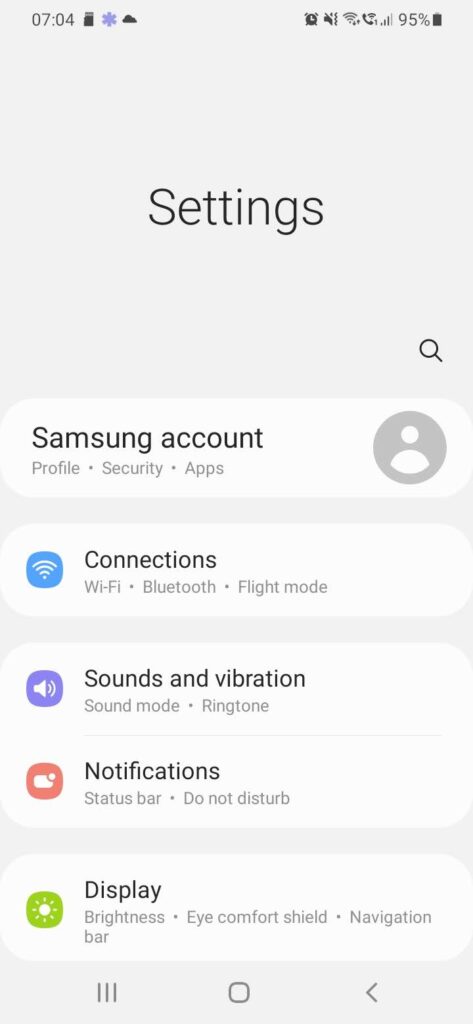
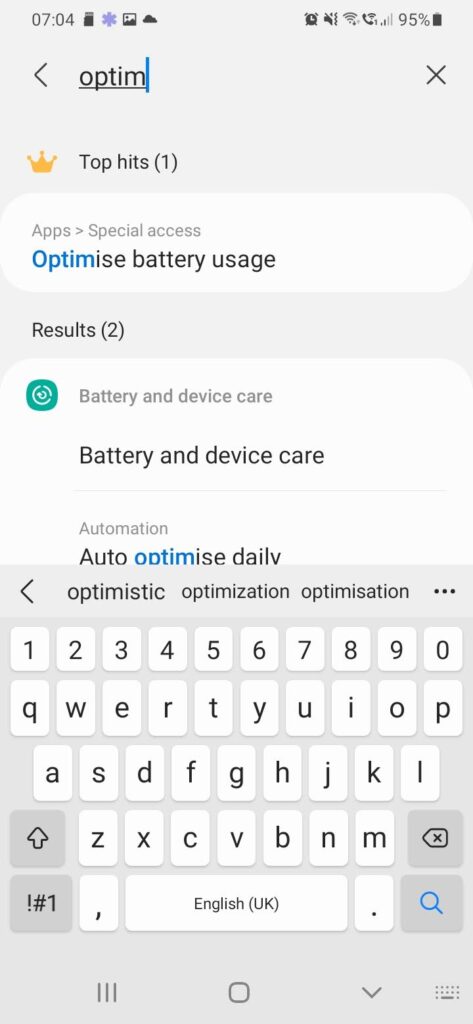
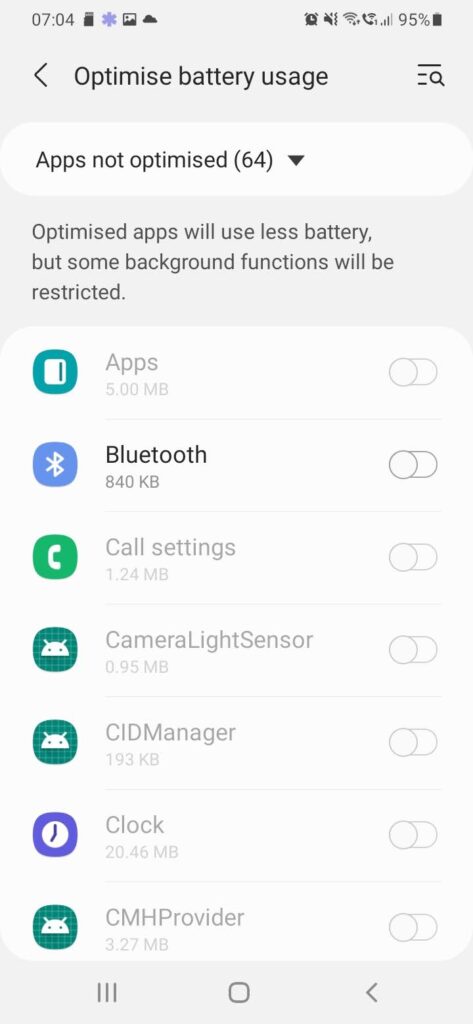
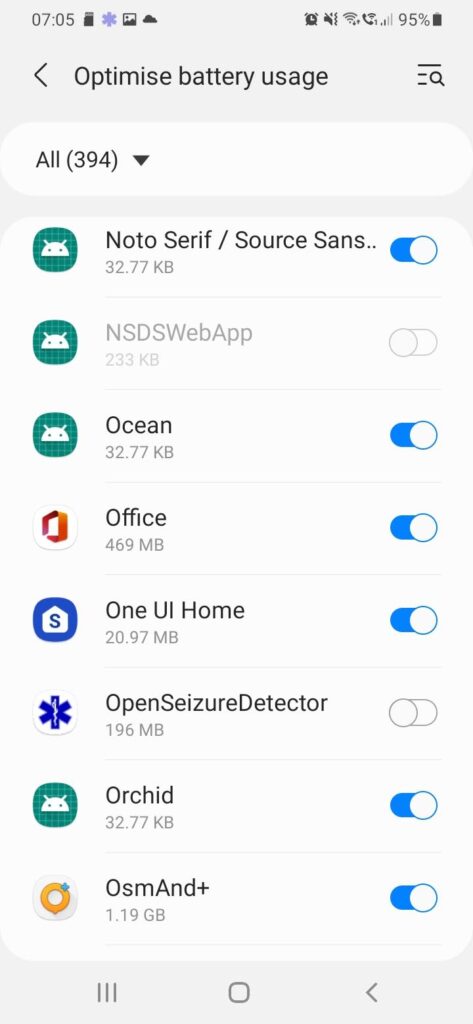
The settings to prevent apps being ‘Optimised’ are more difficult to find. The following worked on my Samsung phone (see the notes below each image)
Open the Phone Settings Page, and click SearchStart to type Optimise…..and select “Optimise Battery Usage”Select “Optimise Battery Usage”By default, it lists the apps that are NOT optimised. Click on the ‘Apps Not Optimised’ text….And select ‘All’OpenSeizureDetector now appears on the list. Ensure that it is NOT selected – this means that the OpenSeizureDetector battery usage will not be optimised, so it will operate correctly when the phone is operating on battery power.