
Background
I have been trying to develop an epileptic seizure detector for our son on-and-off for the last year. The difficulty is that it has to be non-contact as he is autistic and will not tolerate any contact sensors, and would not lie on a sensor mat etc.
I had a go at a video based version previously, but struggled with a lot of noise, so put it on hold.
 At the weekend I read a book “OpenCV Computer Vision with Python” by Joseph Howse – this was a really good summary of how to combine openCV video processing into an application – dealing with separating user interface from video processing etc. Most significantly he pointed out that it is now quite easy to use a Microsoft Kinect sensor with openCV (it looked rather complicated earier in the year when I looked), so thought I should give it a go.
Connecting Kinect
When I saw a Kinect sensor in a second hand gadgets shop on Sunday, I had to buy it and see what it can do.
The first pleasant surprise that I got was that it came with a power supply and had a standard USB plug on it (I thought I would have to solder a USB plug onto it) – I plugged it into my laptop (Xubuntu 13.10), and it was immediately detected as a Video4Linux webcam – a very good start.
System Software
I installed the libfreenect library and its python bindings (I built it from source, but I don’t think I had to – there is an ubuntu package python-freenect which would have done it).
I deviated from the advice in the book here, because the Author suggested using the OpenNI library, but this didn’t seem to work – looks like they no longer support Microsoft Kinect sensors (suspect it is a licensing issue…). Also the particularly clever software to do skeleton detection (Nite) is not open source so you have to install it as a binary package, which I do not like. It seems that the way to get OpenNI working with Kinect is to use a wrapper around libfreenect, so I decided to stick with libfreenect.
The only odd thing is whether you need to be root to use the kinect or not – sometimes it seems I need to access it as root, then after that it works as a normal user – will think about this later – must be something to do with udev rules, so not a big deal at the moment….
BenFinder Software
- Display video streams from kinect, from either the video camera or the infrared depth camera on the kinect – works! (switch between the two with the ‘d’ key).
- Save an image to disk (‘s’ key).
- Subtract a background image from the current image, and display the resulting image (‘b’ key).
- Record a video (tab key).
Output
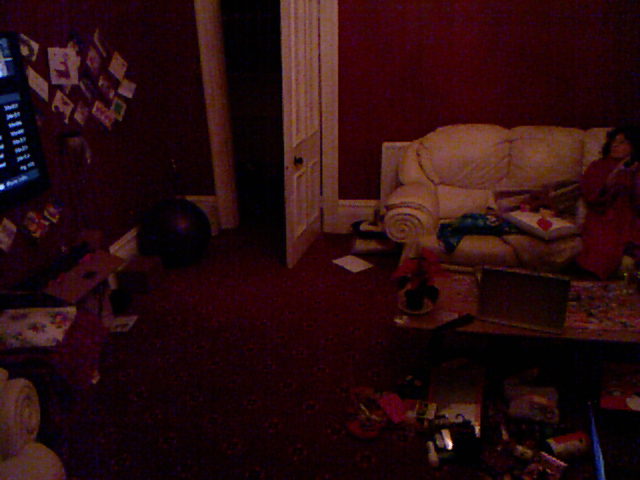 |
| Output from Kinect Video Camera (note the clutter to make detection difficult!) |
 |
| Kinect Depth Camera Output – Note black hole created by open door. |
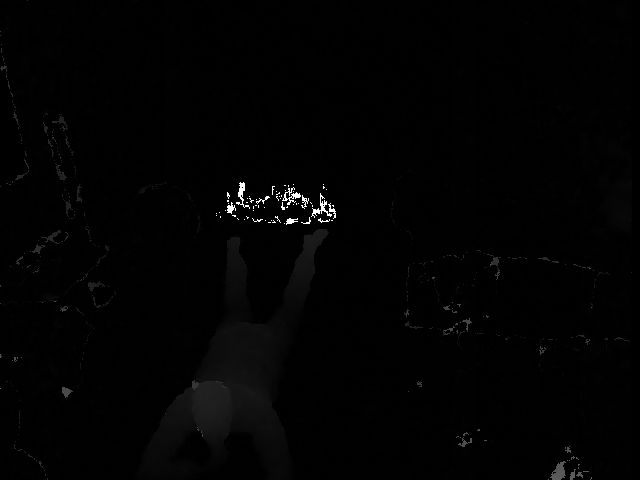 |
| Depth Camera Output with background image subtracted – note that the subject stands out quite clearly. |
| Example of me trying to do Benjamin-like behaviours to see if I can be detected. |